Claude web, desktop, phone
- Open Settings and choose Connectors in the left menu.
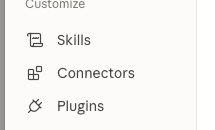
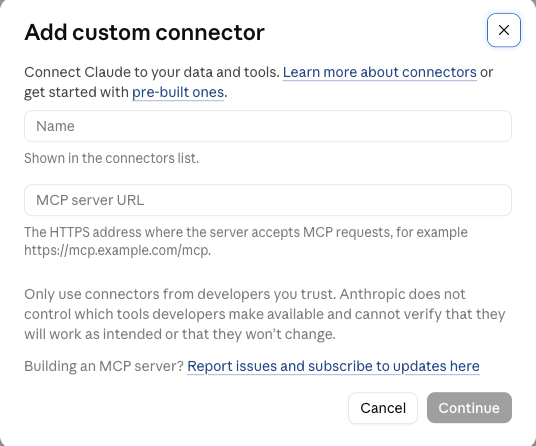
- Press Add, then Add custom connector.

- Name: aspanCRM. MCP server URL: the server address above. Press Continue.
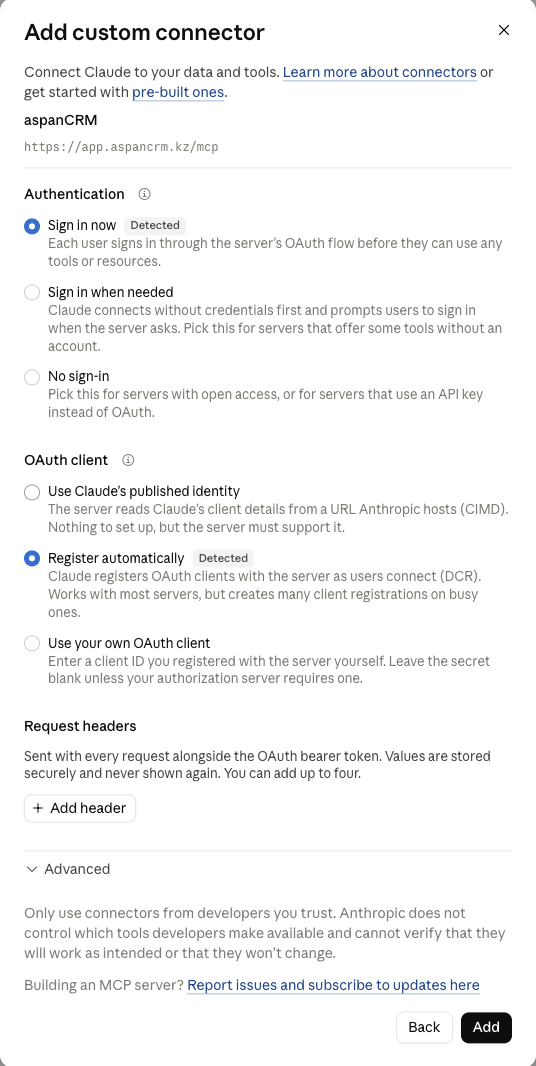
- Leave "Sign in now" and "Register automatically" selected and press Add.
- A browser window opens aspanCRM. Log in with your aspanCRM account and press Allow.
- Done. Claude now lists the aspanCRM tools; in any chat just ask.
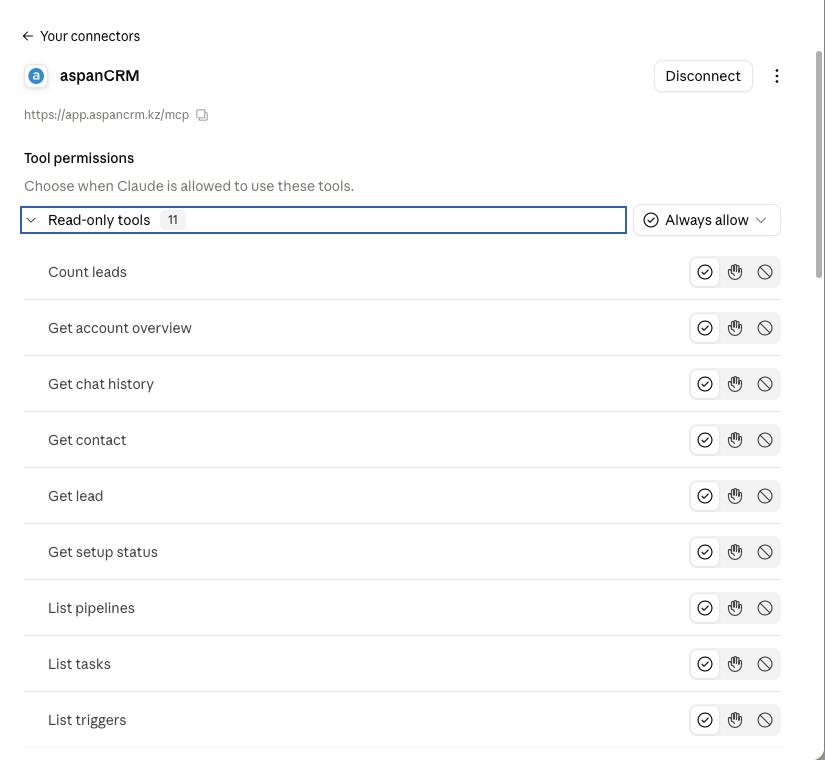
The same works in the Claude desktop and mobile apps, which share the connection, and in Claude Code with claude mcp add --transport http aspancrm https://app.aspancrm.kz/mcp
ChatGPT web, phone
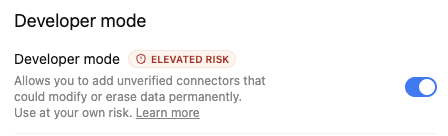
- Open Settings → Security and login and turn on Developer mode. If there is no Developer mode switch there, skip this step and go straight to Plugins.
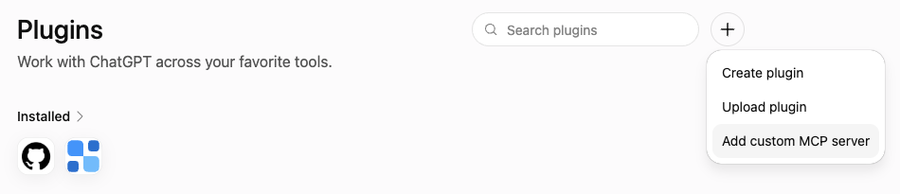
- Open Plugins in the left sidebar, press the Add button in the top-right corner and choose Add custom MCP server.
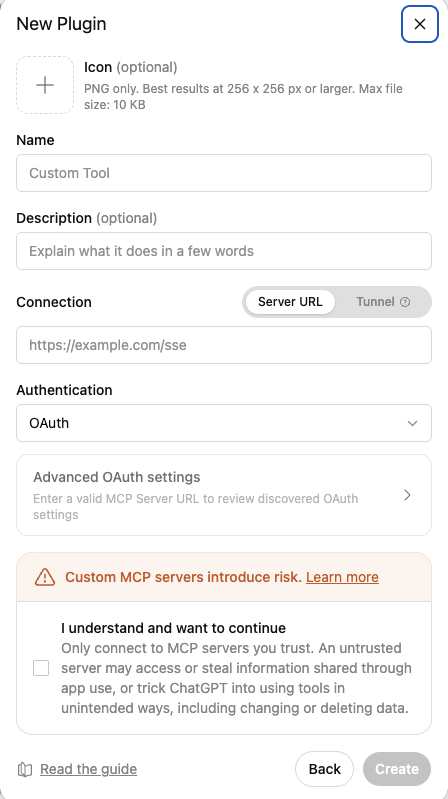
- Name: aspanCRM (a name, not the address). Connection: Server URL, the server address above. Authentication: OAuth. Tick "I understand and want to continue" and press Create.
- A browser window opens aspanCRM. Log in with your aspanCRM account and press Allow.
- Done. In a chat, open the + menu and pick aspanCRM, or just ask.
- Optional: so ChatGPT does not ask before every request, open Plugins → the gear icon → Default permission → Allow low-risk tools.
What the assistant can do
- Contacts and companies — find and open contacts and companies, create and update them, add notes, fill custom fields; the owner can also add, rename, reorder and delete contact fields.
- Deals and pipelines — search and count leads by pipeline, stage, manager or period; create and update deals, move them between stages, hand over to another manager, close as won or lost, add notes.
- Tasks — list open and overdue tasks, create a task on a deal, mark it done.
- Chats — read the history of any chat, find chats a client is still waiting on, transcribe voice messages, send a WhatsApp message to an existing chat.
- WhatsApp numbers (owner) — see connected numbers and their status, rename them, connect a new one, disconnect, archive or delete.
- Templates and broadcasts — create and edit message templates, start a broadcast to a list of contacts and follow its progress.
- Campaigns (owner) — automatic follow-ups for leads stuck in a stage: create and preview a campaign, turn it on or off, read its log, stop it for one lead.
- AI agent (owner) — create one, read its conversations, find what goes wrong, improve the instructions, variables and action rules, change the model and settings, choose the numbers it answers on, turn it on or off, save a snapshot and roll back, keep tuning notes.
- My profile — your name, timezone, date and time format; the owner also sets the currency shown next to deal amounts. Email, phone and password change only in aspanCRM.
- Account setup (owner) — pipelines and stages, lead fields, managers (invite, edit, remove), triggers, the onboarding checklist and the setup guide.
Before deleting, inviting a paid manager, sending a message or broadcast, creating an agent, rewriting its instructions or putting it live, the assistant asks you to confirm.
Try: «How many leads did we get this week, by pipeline?», «What did the last client write?», «Create a task for tomorrow on the deal with Aidar.», «Which chats have been waiting for a reply for more than an hour?», «Why is the AI agent losing clients at the price question?»
Safety
- The assistant acts on your behalf with your rights. It cannot do anything you cannot do in aspanCRM.
- The consent page shows which service receives access. Allow only Claude or ChatGPT, and only if you started the connection yourself.
- Before deleting, inviting a paid manager or sending a message, the assistant asks you to confirm.
- Every request is logged. You can disconnect an assistant at any time on the Claude and ChatGPT page in the left menu of aspanCRM.
Questions
Can a manager connect?
Yes. Each manager connects with their own aspanCRM login and the assistant sees exactly what they see in the CRM. Account setup — pipelines, fields, managers, AI agents, campaigns — stays with the owner.
The page asks for a WhatsApp code.
Your number is confirmed once by a code sent to WhatsApp. After that no code is asked again.
The assistant says the subscription is not active.
The owner pays on the billing page in aspanCRM; the connection then works again without reconnecting.
How do I disconnect?
In aspanCRM: the Claude and ChatGPT page in the left menu (under Integrations for the owner) → Disconnect. Or remove the connector in Claude or ChatGPT.